
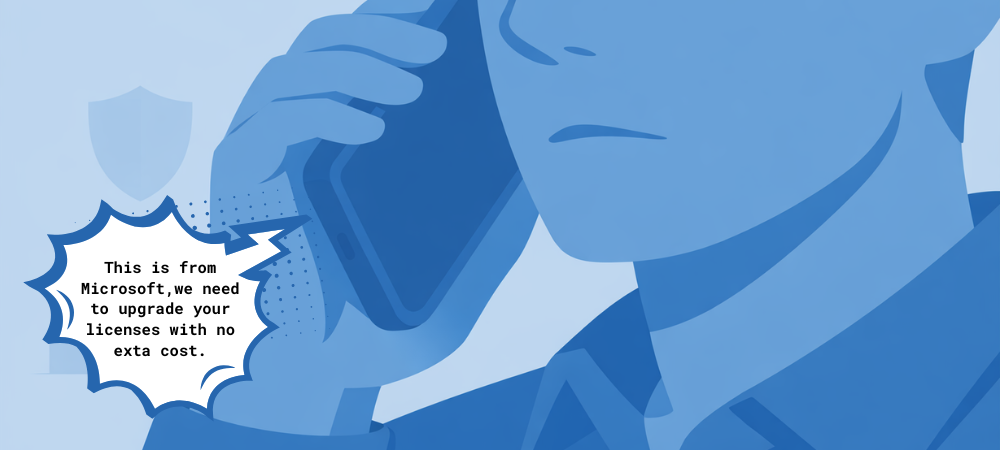
Is that Microsoft Call Real or a Scam?
Tech support scams have gotten more convincing and one of the most common versions right now involves scammers pretending to help with Microsoft licenses or subscriptions.
It usually starts with an unexpected call, email, or pop-up claiming:
- Your Microsoft license has expired / expiring
- Your Microsoft 365 subscription is about to be suspended
- There’s a billing or activation issue that needs “immediate attention”
- “We can help you get most of your licenses with no extra cost”
The goal is simple: panic you into acting fast so you don’t stop to question whether it’s legitimate.
How These Microsoft License Scams Work
Scammers often pose as “Microsoft Support” or a “Microsoft partner” and may:
- Ask you to call a phone number right away
- Request remote access to your computer
- Ask for payment details to “renew” or “fix” your license
- Pressure you with urgency or threats of account shutdown
Here’s the key thing to remember: Microsoft does not cold-call, email, or pop up on your screen asking you to fix licensing issues.
According to Microsoft, legitimate support will never:
- Ask for payment over the phone
- Display a phone number in an error message
- Contact you unsolicited to fix a problem
Red Flags to Watch For
If you see any of these, it’s almost certainly a scam:
- Urgent language like “final notice” or “immediate action required”
- Requests for remote access
- Phone numbers in pop-up alerts or emails
- Requests for gift cards, wire transfers, or direct payment
What To Do If You Think It’s a Scam
- Don’t call the number or click any links
- Close the browser or hang up immediately
- Do not give out passwords or payment info
- Contact your trusted IT provider to review your account safely
Key Points to Remember
- Microsoft will never contact you first about license, billing, or security issues. Unsolicited calls, emails, or pop-ups are a major red flag.
- Pop-ups or emails with phone numbers are not legitimate. Real Microsoft alerts do not tell you to call for support.
- Never give remote access, passwords, or payment details to someone claiming to be tech support.
- Urgency is a scare tactic. Messages that pressure you to act “immediately” are designed to stop you from thinking twice.
- When in doubt, stop and verify. Go directly to official websites or contact a trusted IT provider like BEI before taking action.
If you want to confirm whether something is legitimate, always go directly to the official site, never use contact info provided in the message itself.
👉 For Microsoft’s official guidance on spotting and reporting these scams, visit Microsoft.
If you’d like to know how you can legitimately and safely maximize your Microsoft licenses, reach out to us today!

